Every signer, internal or external, needs an active Frappe Sign Profile. It stores their identity and their reusable signature and initials, so they don't have to redraw a signature for every request. Profiles are listed under Signatory Profiles in the sidebar.
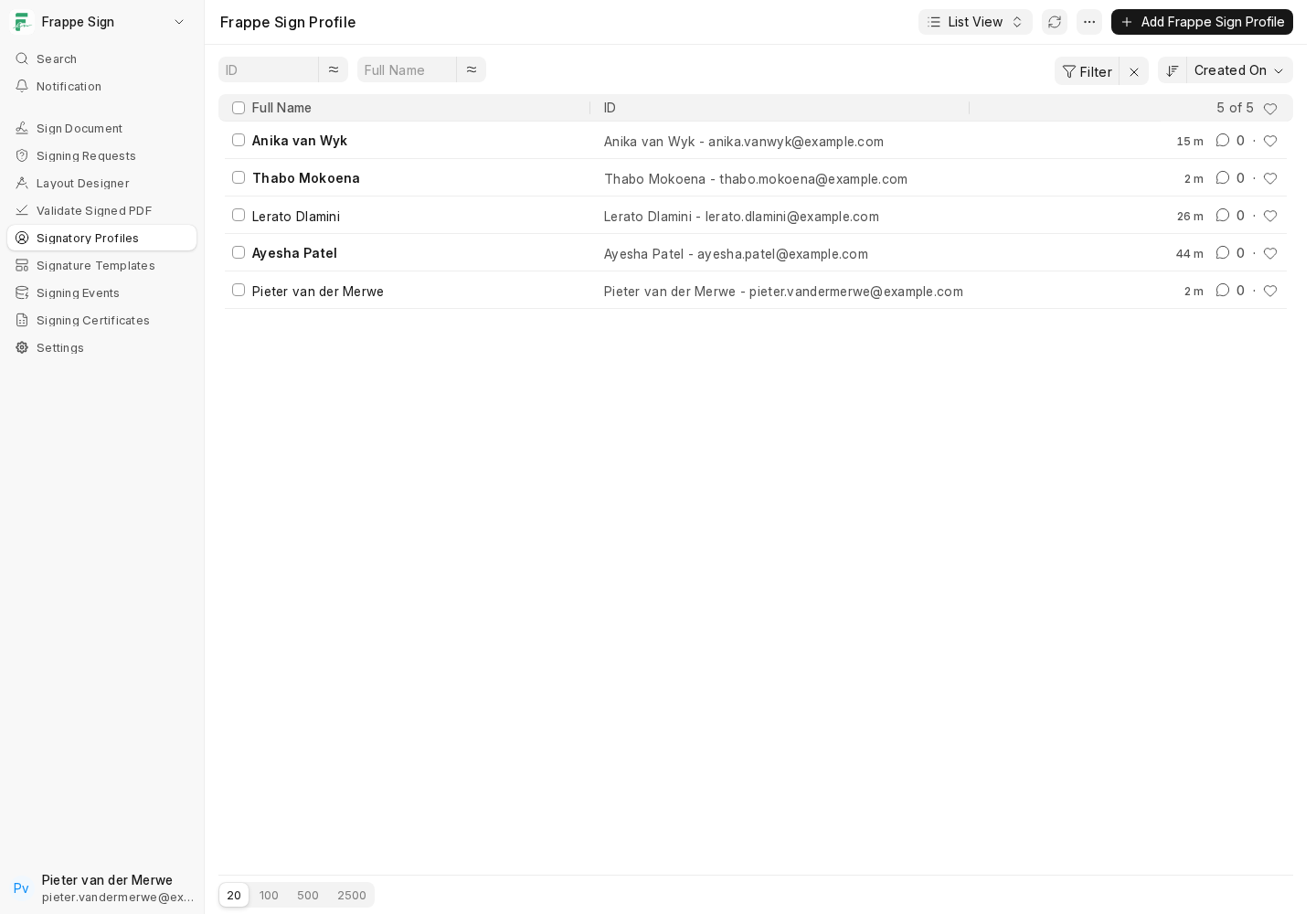
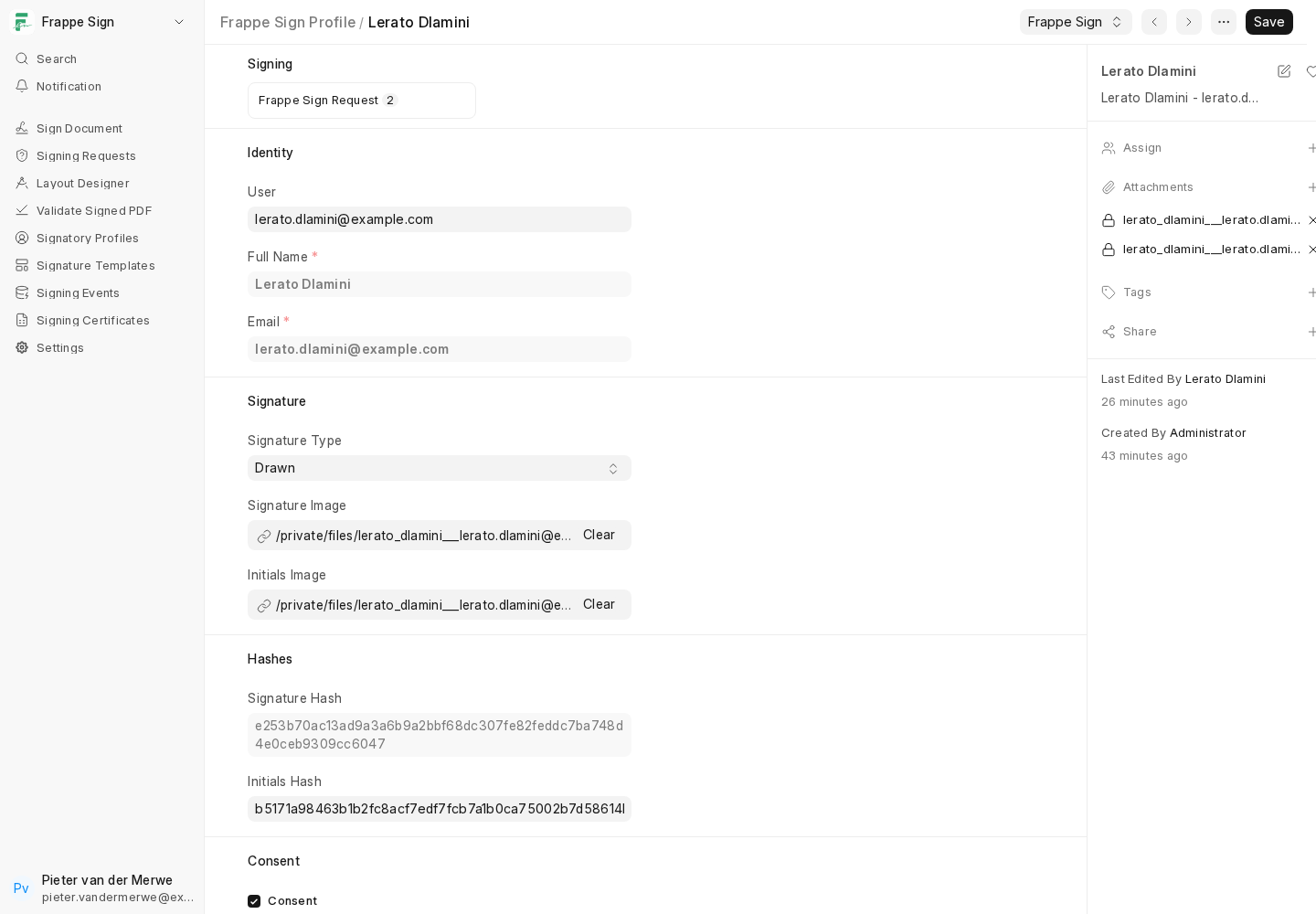
A profile holds:
- Identity: User (optional), Full Name and Email. When a User is linked, the name and email are always taken from that User. An external signer's profile has no User; you type the name and email yourself. Each email address can have only one profile.
- Signature: Signature Type (Drawn, Uploaded or Typed), the signature image or typed text, and the same for initials.
- Hashes: a hash of the stored signature and initials, so a later check can tell if they were changed outside the normal flow.
- Consent: whether the signer has agreed to use their saved signature and initials for electronic signing, and when (Consent On).
- Active / Revoked On: deactivate a profile without deleting its history. Inactive profiles cannot be used on new requests.
Creating profiles
- For an internal signer, create a profile and pick their User. A profile is required before the user can be added to a request.
- For an external signer, create a profile with just Full Name and Email, and leave User empty. External signers are only allowed if Allow External Signers is on in Settings (and on the configured DocType, for document-based requests).
When you add a signer to a request whose profile has not yet given consent, Frappe Sign shows a warning. You can still send; the signer will be asked for consent when they open the document.
Setting up a signature
A signer can set up or change their signature and initials in three ways:
- In the User Signature Profile portal page (
/frappe-sign-profile), which works for any logged-in signer. - On the profile form in Desk, if they have access.
- Automatically, the first time they open a document to sign without a saved signature. The capture dialog opens right on the signing page. See Signing a Document.
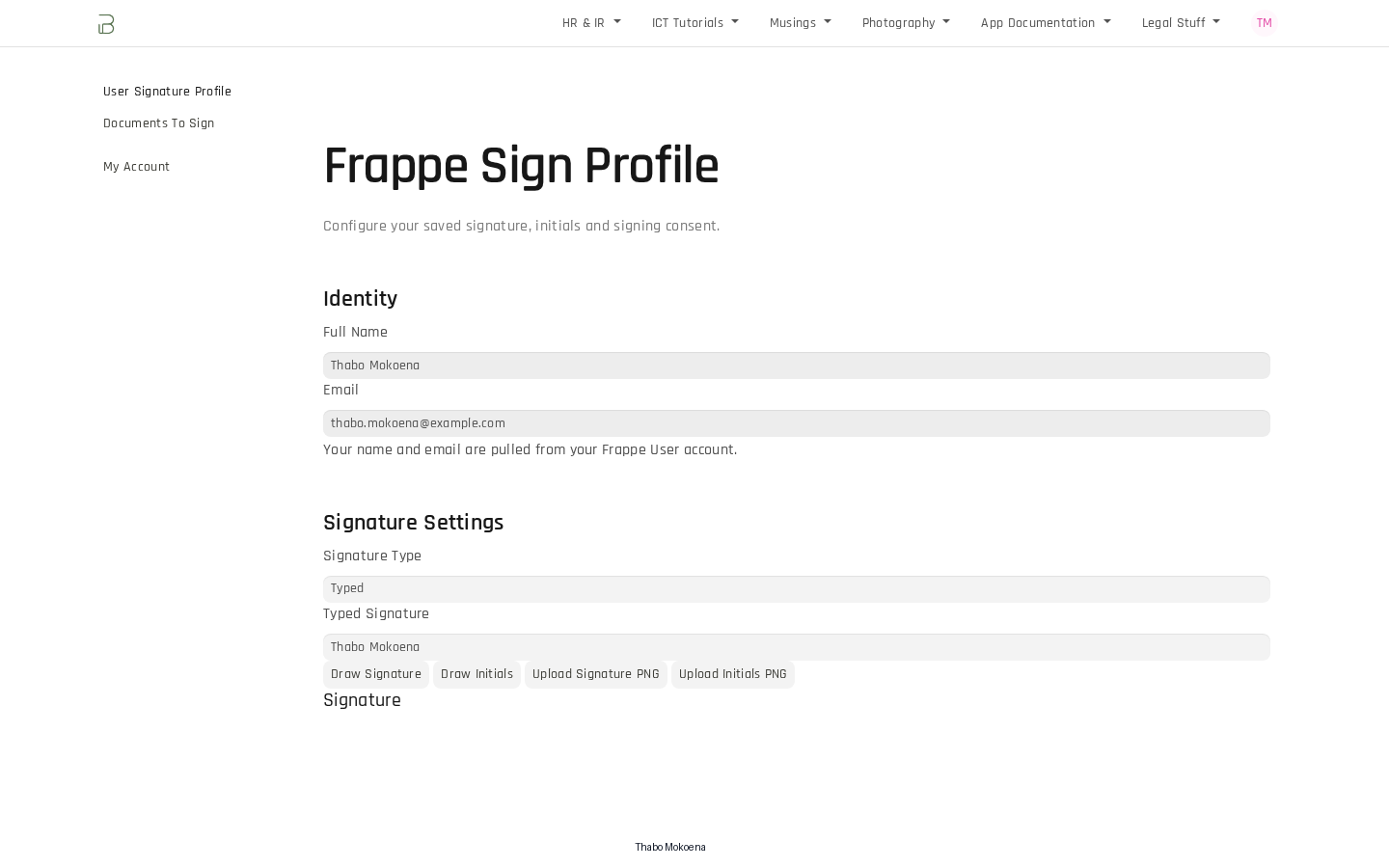
Each method offers Draw, Upload PNG or Type. Drawn and uploaded signatures are stored as transparent PNG images.
Typed signatures are rendered quite small in the current version. If a clearly legible signature matters, ask signers to draw or upload one.
Next: create your first request, either From an Uploaded PDF or From a Frappe Document.