Sending a Request & the Signing Portal
Sending
Once a request has a source PDF, at least one signer and its signing fields, send it with Send Request in the Designer toolbar or Frappe Sign → Send Request on the request. You are asked to confirm:
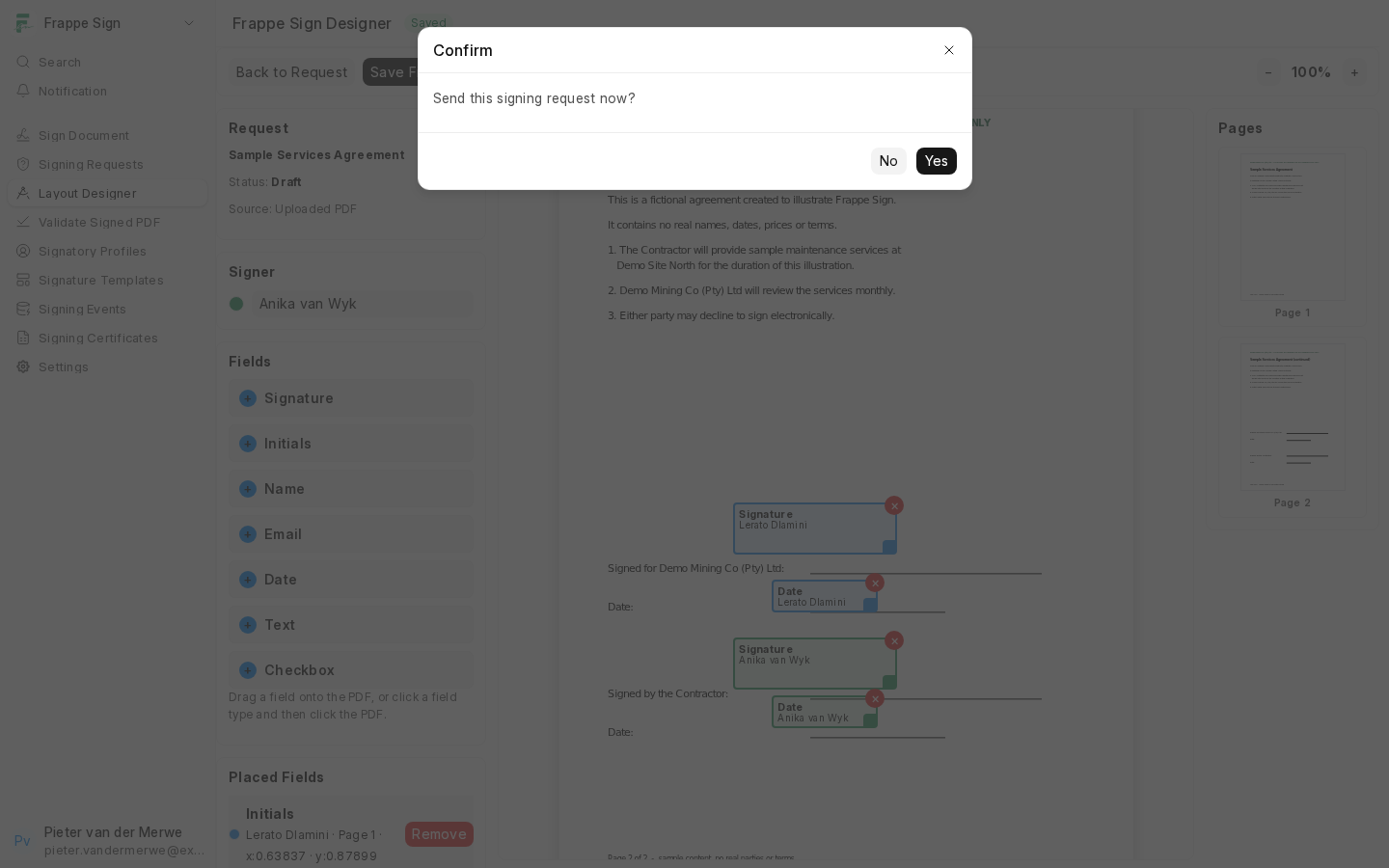
Frappe Sign checks the request, generates a unique signing link for each signer who can sign now, emails them, and moves the request to Sent. In sequential mode only the current order (or cohort) is emailed; later signers are emailed as earlier ones finish.
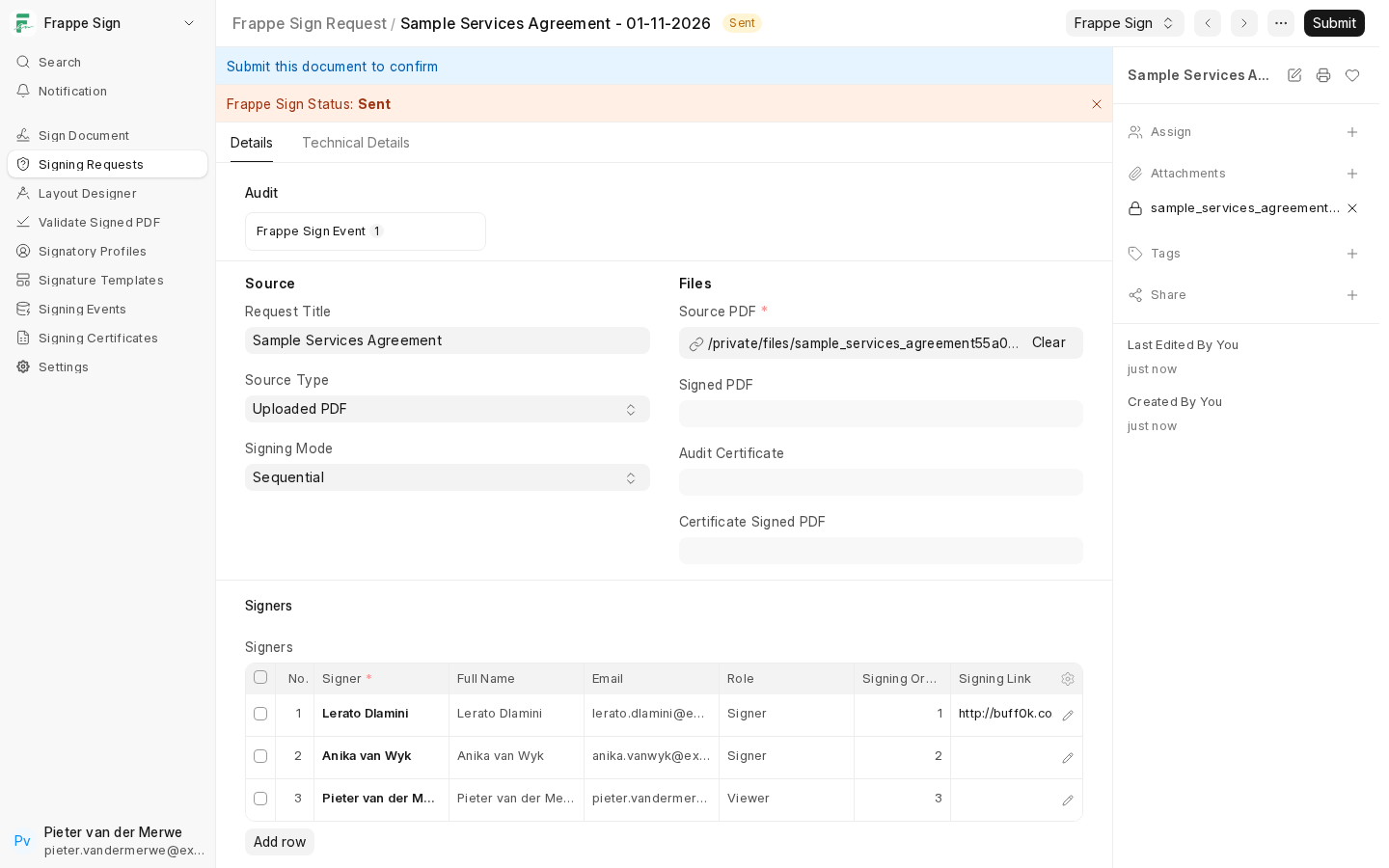
From the moment it is sent, the request's source PDF, Print Format, source document and signing fields are locked. See Document Locking & Evidence Protection.
Following up
While a request is Sent, Viewed, Partially Signed or Changes Added, the Frappe Sign menu offers:
- Copy Signer Link: pick a signer and copy their link, for example to send it through another channel. Each link is unique to its signer; never send one signer's link to someone else.
- Resend Links: re-sends the email to the signers who can sign now. The existing links are reused, so earlier emails keep working.
- Cancel Request: see Cancelling a Request.
Daily reminders are also sent automatically. See Tamper Detection & Notifications.
What the signer sees
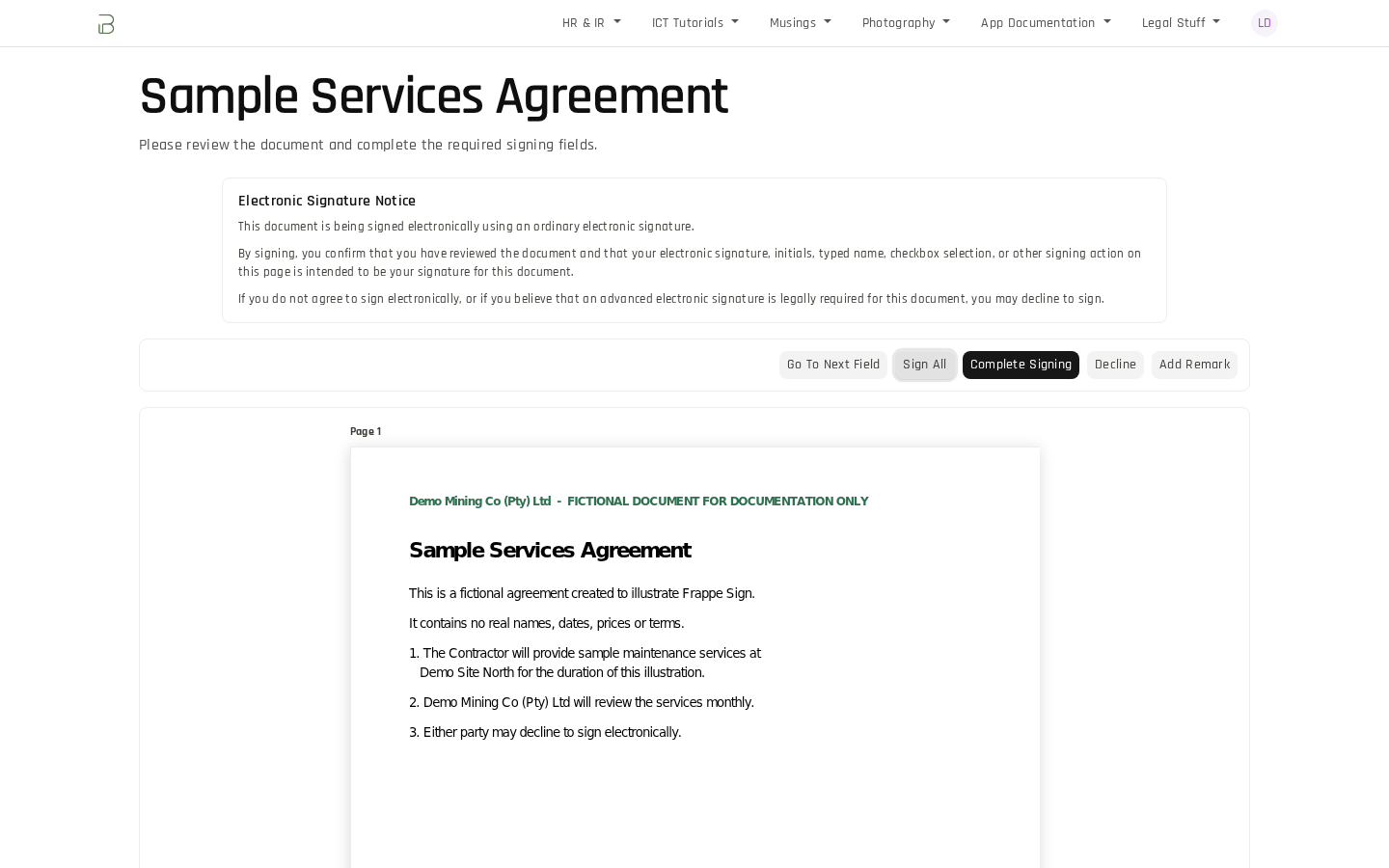
Each signer opens their own link at /sign/<token>. The page shows the Electronic Signature Notice, the document with that signer's fields highlighted, and the signing toolbar. Signing a Document walks through it from the signer's side.
As signers act, the request moves from Sent to Viewed to Partially Signed, and finally to Completed when the last Signer finishes. See Completing a Request, Certificates & Verification.