Site Plan Designer
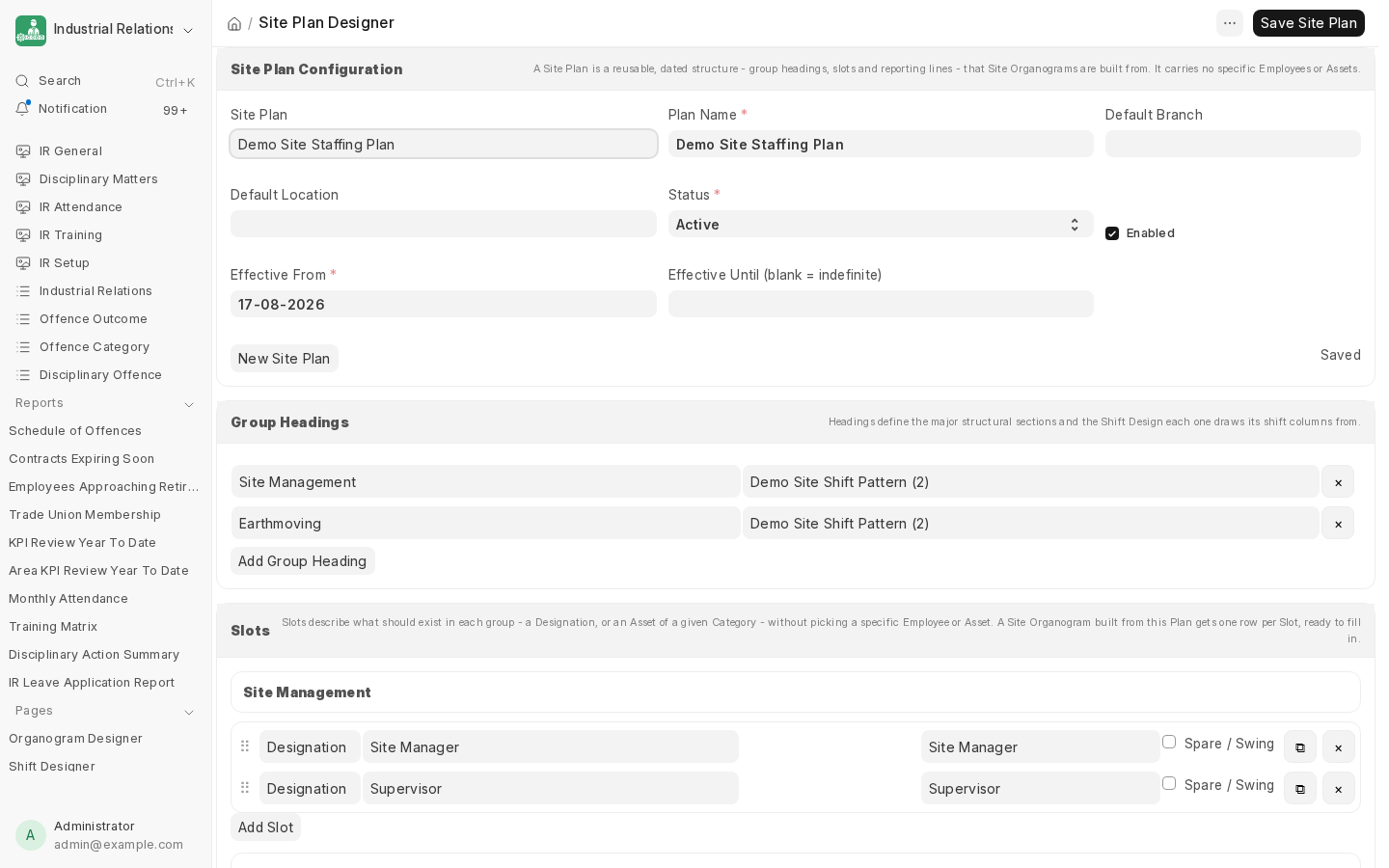
A Site Plan is a reusable, dated staffing template - group headings, slots, and reporting lines - that doesn't reference any specific Employee or Asset yet. It's the design; a Site Organogram is the real, site-specific instance built from it.
Structure
- Group Headings - the major sections of the plan (e.g. Site Management, Earthmoving), each pointing at a Shift Design for its shift columns.
- Slots - one row per position the plan calls for, within a heading. A slot is either:
- a Designation slot (a role that needs filling, e.g. Site Manager), or
- an Asset slot (an Asset Category that needs an operator, e.g. an Excavator).
- Reporting Lines - who reports to whom, drawn between slots.
Duplicating and reordering rows
Every slot has a duplicate button (⧉) that clones it with a fresh identity, inserted right after the original - the fast way to add several near-identical rows (e.g. three more Excavator Operator slots) without rebuilding each one from scratch. Rows can also be dragged by their handle (⠿) to reorder within a heading, or across into a different heading entirely - both the row's position and its heading membership update immediately.
Next: Site Organogram, to turn this template into a real site structure.
Last updated 2 months ago
Was this helpful?