Appeal Against Outcome
Appeal Against Outcome
Once a case is Submitted, the standard "Cancel" toolbar action is blocked for everyone except System Manager - even for an IR Manager. The only sanctioned way to reopen a decided case is a formal Appeal Against Outcome.
Drafting vs. deciding
Any IR role can create and prepare an appeal - via Appeal Against Outcome on the source case's Actions menu, available once the case is Submitted. But only an IR Manager (or System Manager) can submit it - drafting and deciding are deliberately separated.
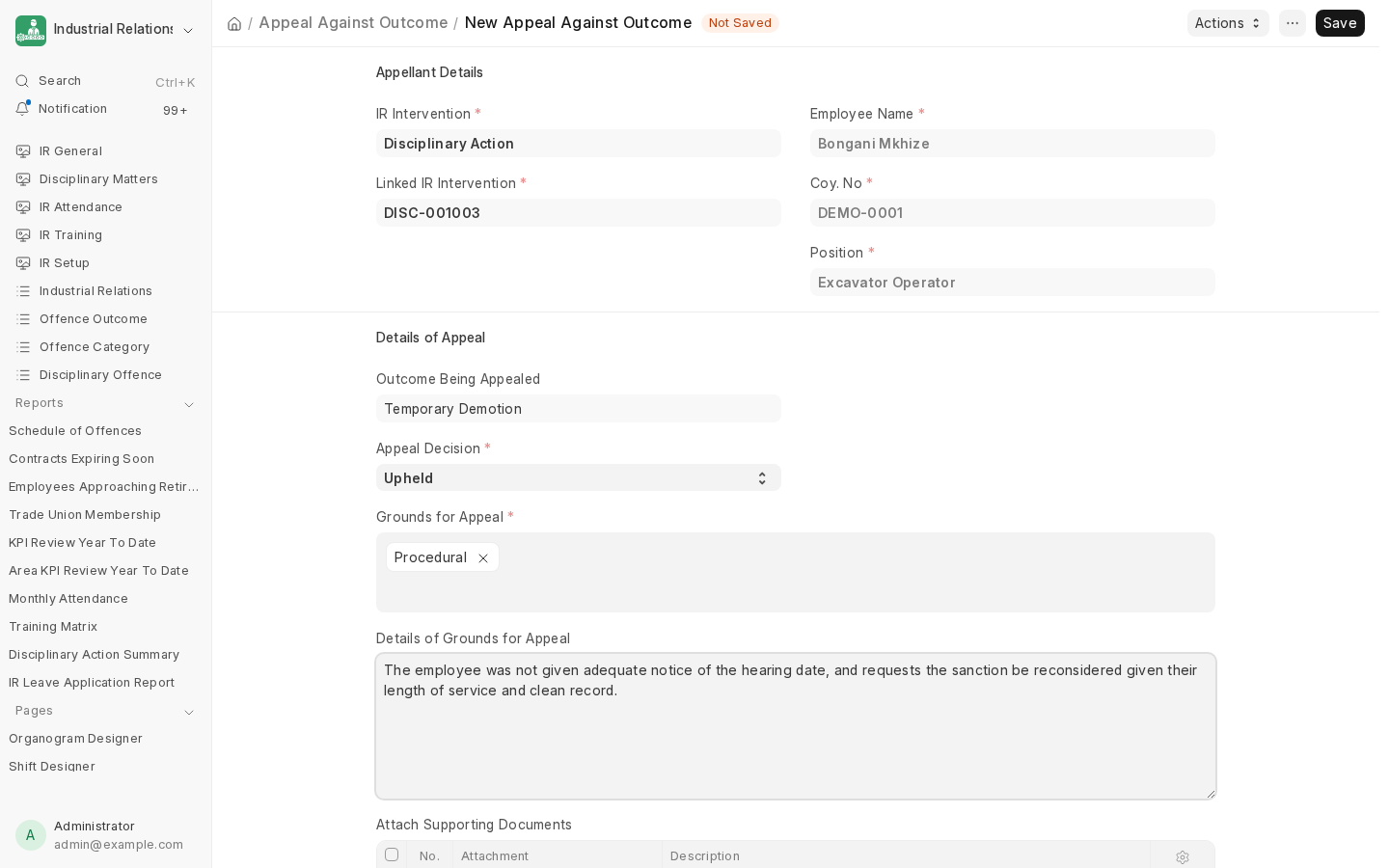
An appeal records:
- The Outcome Being Appealed (read-only, pulled from the case).
- Appeal Decision: Pending, Upheld, Partially Upheld, or Dismissed. Submission is blocked while it's still Pending.
- Grounds for Appeal (Procedural, Substantive, New Evidence - multi-select) and free-text Details.
What happens on submit
- Dismissed - nothing changes. The original decision and sanction stand; the appeal itself is simply the documented record of the (unsuccessful) challenge.
- Upheld or Partially Upheld - three things happen automatically:
- The most recently submitted sanction document is cancelled - which runs that sanction's own reversal (an employee reinstated from dismissal, un-suspended, or a demotion undone) exactly as if it had been cancelled directly.
- The source case itself is cancelled.
- A fresh amended copy of the case is created as a new Draft, so it can be re-heard from scratch.
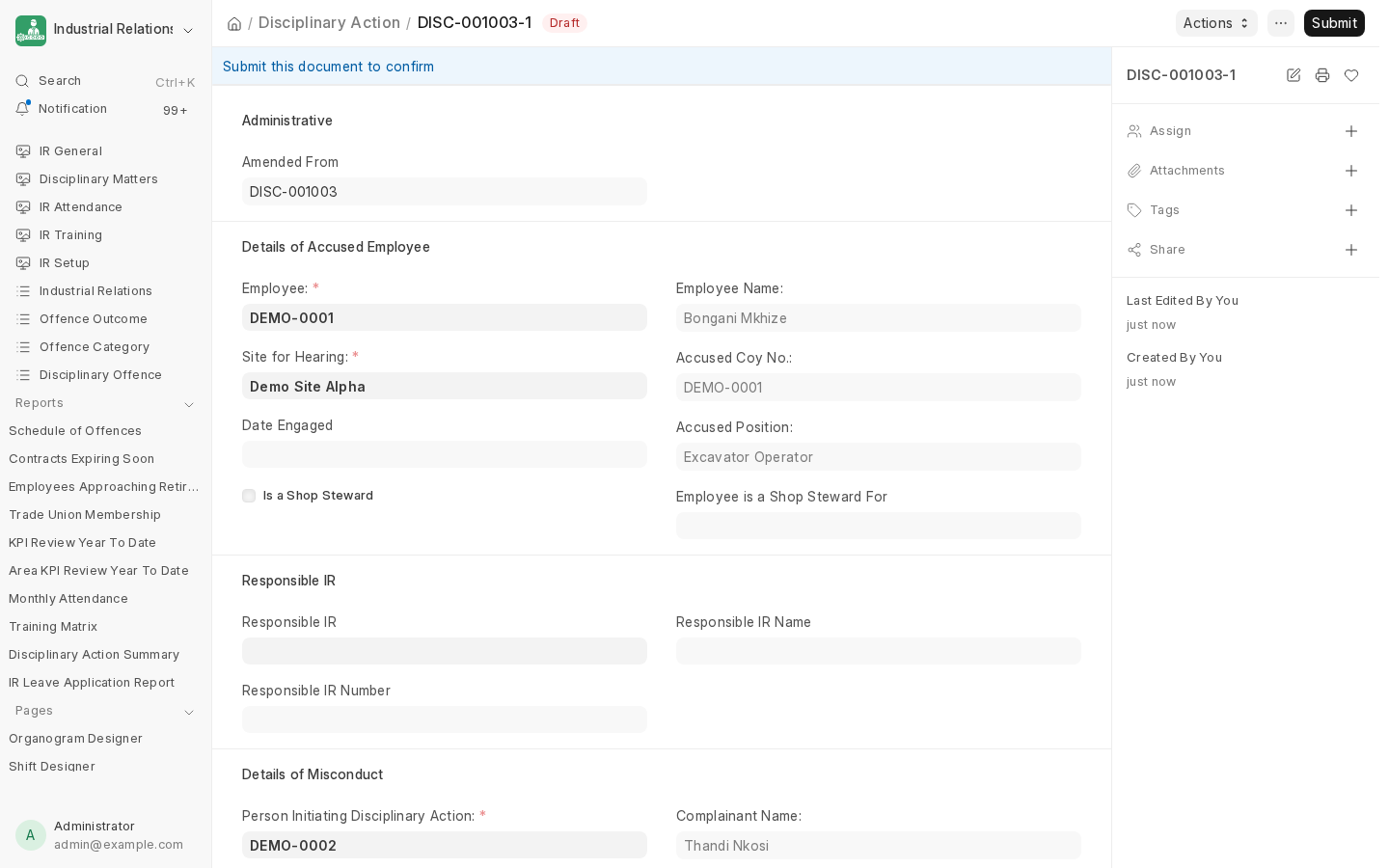
From here, the whole cycle - NTA Enquiry, Written Outcome, a sanction - starts again against the amended case.
Next: Schedule of Offences, the reference report behind the offence codes used throughout this process.
Last updated 2 months ago
Was this helpful?