IR Role Restrictions - Designation Limits & Branch Limits
IR Role Restrictions - Designation Limits & Branch Limits
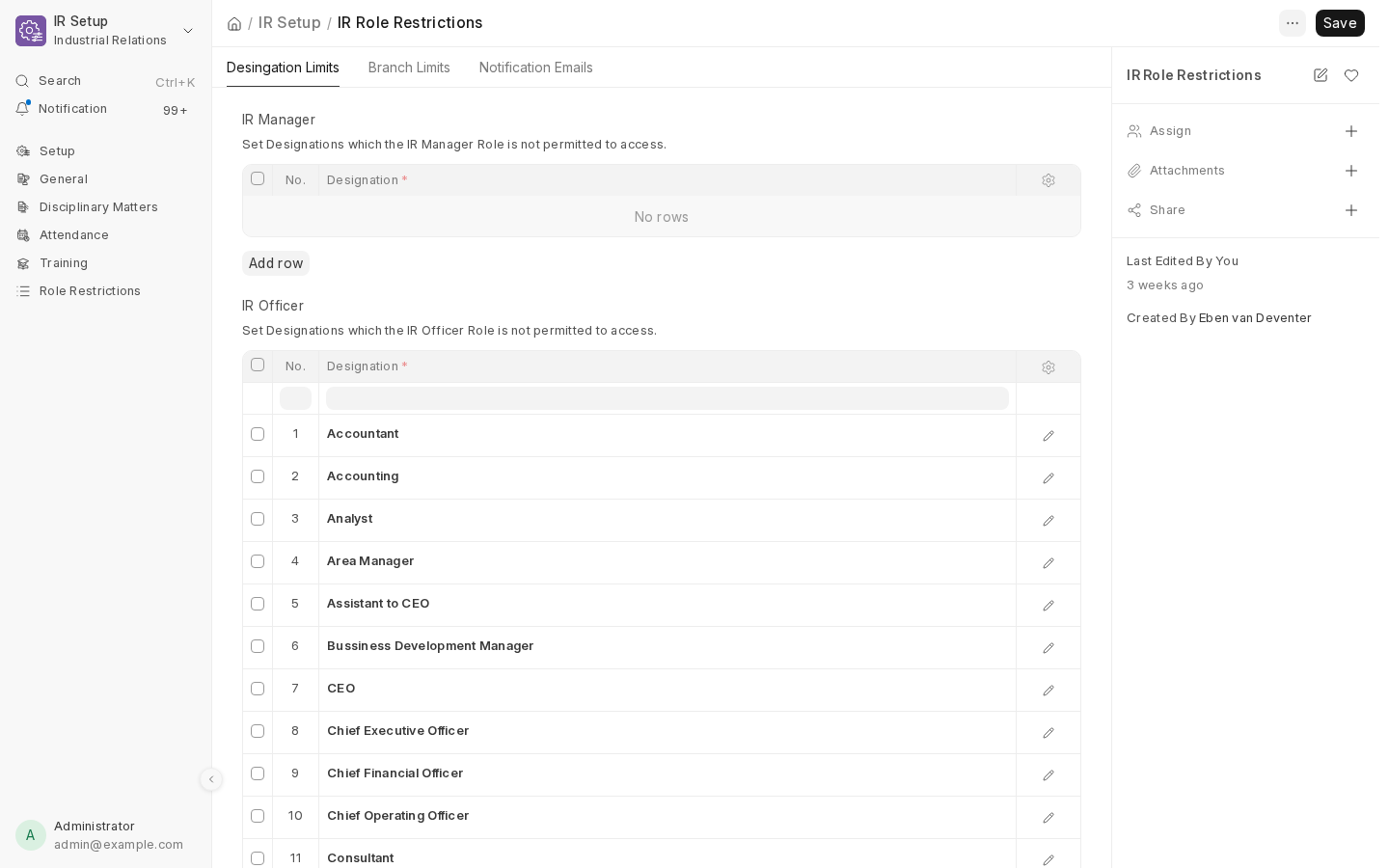
Open IR Role Restrictions (Setup workspace) - a single, global settings record that controls exactly what every IR Manager/Officer/User can see, both in the app itself and in the notification emails they receive.
Two independent limits
Designation Limits (denylist)
A denylist of Designations, set separately for each of the three IR roles (ir_manager_restrictions, ir_officer_restrictions, ir_user_restrictions). If a case's accused employee (or contract holder, or induction record subject) holds one of the designations listed for a user's role, that user can't see the record at all - not in a list, not by direct link, not in an email. Leave a role's list empty and that role has no designation restriction.
Because a user's highest IR role determines which list applies (see Roles & Access Model), assigning someone an extra, more senior role than intended can silently widen what they see - there's no way to combine or intersect the three lists.
Branch Limits (allowlist)
The opposite shape: an allowlist. hr_per_branch and trainer_per_branch are tables of (User, Branch) pairs - a user only added for specific branches is limited to employees in those branches; a user with no rows at all is treated as having no branch restriction (not "restricted from everything"). trainer_per_branch feeds Employee Induction notifications specifically; hr_per_branch covers everything else branch-limited.
Which doctypes are covered
Not every doctype in the app carries a Designation Limit or Branch Limit - only the ones where it makes sense:
| Doctype | Designation Limit | Branch Limit |
|---|---|---|
| Contract of Employment | ✓ | ✓ |
| Disciplinary Action, Incapacity Proceedings, Poor Performance | ✓ | ✓ |
| NTA Enquiry | ✓ | - |
| Written Outcome | ✓ | - |
| Warning / Suspension / Dismissal / Demotion / Pay Deduction / Pay Reduction / No Further Action Form | ✓ | ✓ |
| Appeal Against Outcome | ✓ | ✓ |
| Status Change Form, Site Transfer Form, Termination Form, External Dispute Resolution, Anonymous Report | - | - |
The last row is deliberate, not an oversight - those five doctypes' notifications are intentionally unfiltered, since they don't represent the same kind of sensitive, designation-specific case data.
Notification recipients
The same document also holds six separate recipient tables, each a list of (User, Email) rows: Report Recipients (the weekly digests), Disciplinary/Incapacity/Poor Performance/External Dispute Recipients (case-creation alerts), and Global Trainer/Trainer per Branch (induction notifications). A row's email is always resolved from its linked User at send time rather than trusted as a static value - so if someone's account email changes later, their notifications follow automatically instead of quietly going to a stale address.
Recipients in these tables aren't automatically exempt from Designation/Branch Limits - a restricted recipient's copy of a weekly digest, or their case-creation alert, is narrowed exactly the same way a restricted user's list view would be. See Weekly Notifications & Reports for the full breakdown of which notification honours which limit.
Next: Weekly Notifications & Reports.