Shift Design
A Shift Design defines a site's repeating shift roster - which Shift Types it rotates between, how many teams share the load, and the pattern they follow. Open it via the Shift Designer page rather than the plain DocType form - the visual builder is the intended way to work with it.
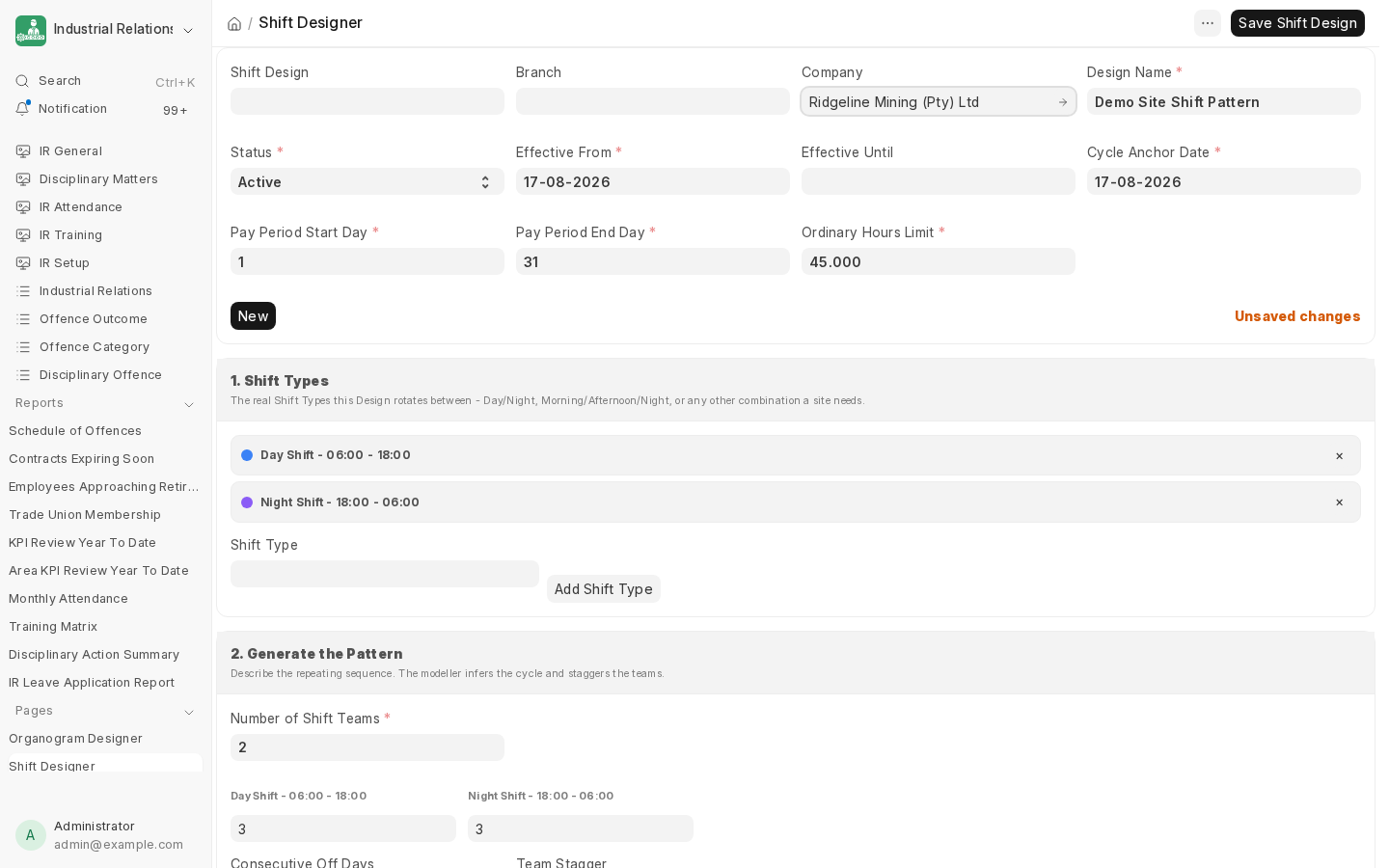
Building one
- Design Name, Status (Draft/Active/Superseded/Archived), and Effective From.
- Shift Types - the real HRMS Shift Types this design rotates between (e.g. a Day Shift and a Night Shift), each with the weekdays it actually applies on.
- Number of Shift Teams and the pattern itself - how many consecutive days each team works before rotating, and how teams stagger relative to each other.
- Pay Period Start/End Day and Ordinary Hours Limit feed into payroll-adjacent reporting elsewhere in the app (e.g. Monthly Attendance).
A Shift Design isn't tied to one site by itself - a Site Plan references it to say which shift columns its groups should show (see the next page), and multiple Site Plans can share the same Shift Design.
Next: Site Plan Designer.
Last updated 2 months ago
Was this helpful?